QiaoQiaoYun AI No-Code Platform
Latest Version: 2.2.1 (Release Date: 2025-11-10)




Project Introduction
Free No-Code Platform
QiaoQiaoYun is a free AI-powered no-code platform that helps enterprises quickly build business systems and AI applications! Users can create complex business systems through drag-and-drop without coding - build a CRM system in just 5 minutes! It integrates no-code applications, AI application platform, and AI knowledge base, helping enterprises quickly build personalized business applications, AI applications, AI knowledge bases, and AI chat assistants! QiaoQiaoYun has comprehensive application building capabilities, form engine, workflow engine, dashboard engine, and large screen & reports, meeting over 90% of enterprise business scenario requirements.
No coding required - in 10 minutes, even college students can easily build their graduation projects!
🎯 Focus on open source, creating a "professional, easy-to-use, intelligent" enterprise-level AI no-code platform
📜 Open Source License: Features are free, commercial use allowed, code not open-sourced
🚀 Our Mission: Be the local alternative to Jiandaoyun/Mingdaoyun
💡 Core Advantages: Private deployment support, full data control, permanently free to use
Download Deployment Package
1. Download via Release (⭐Recommended)
Recommended Method: Download the complete installation package directly from the Release page
- GitHub Release: https://github.com/jeecgboot/qiaoqiaoyun/releases
2. Cloud Drive Download (⭐Recommended)
Download directly via Baidu Cloud Drive
3. Git LFS Clone Download (Complicated)
- Windows: Download and install from Git LFS official website
- macOS: Install using Homebrew, run command in terminal:
brew install git-lfs - Linux: Install using package manager, or download binary files from Git LFS GitHub page
Note
: qiaoqiaoyun-start-*.jar is uploaded using Git LFS. Direct git clone will result in qiaoqiaoyun-start-*.jar being only 1 KB.
After installing Git LFS, execute the command:
git clone https://gitee.com/jeecg/qiaoqiaoyun.git
Local Quick Deployment
Installation Manual: https://help.qiaoqiaoyun.com/open/simpleStart.html
📝 Deployment Steps
1. Environment Preparation
   - Install JDK 8+ (JDK 17 recommended)
   - Install MySQL 5.7+, MongoDB, Redis

2. Database Initialization
   - Execute MySQL script: qiaoqiaoyun.sql (automatically creates database: qiaoqiaoyun)
   - MongoDB does not require initialization

3. Configuration Modification
   - Edit the config/application-prod.yml configuration file
   - Modify MySQL database, Redis and MongoDB configurations

4. Start Application
   - Windows: Double-click start.bat
   - Linux/macOS: Execute ./start.sh

5. Access System
   - URL: http://localhost
   - Account: admin
   - Password: 123456
💡 Tips:
- First startup may take 1-2 minutes, please be patient
- If port is occupied, modify the port number in the configuration file
Docker One-Click Installation
- Docker One-Click Cloud Deployment: https://help.qiaoqiaoyun.com/open/dockerCloud.html
Technical Communication
- Official Website: https://www.qiaoqiaoyun.com
- Online Demo: https://app.qiaoqiaoyun.com
- User Manual: https://help.qiaoqiaoyun.com
- QQ Group: 967780549
- Technical Support: Online Feedback Issues
🌟 Core Features
- 🤖 AI Intelligence: Integrates mainstream large models like ChatGPT, DeepSeek, supports AI table creation, intelligent Q&A, workflow orchestration
- 📊 Visual Design: Drag-and-drop form design, process design, dashboard design, easy to get started even without coding experience
- 🔄 Process Automation: Powerful workflow engine supporting approval, filling, data processing (with Create, Delete, Update, Query nodes) for automated business processes and data modification capabilities
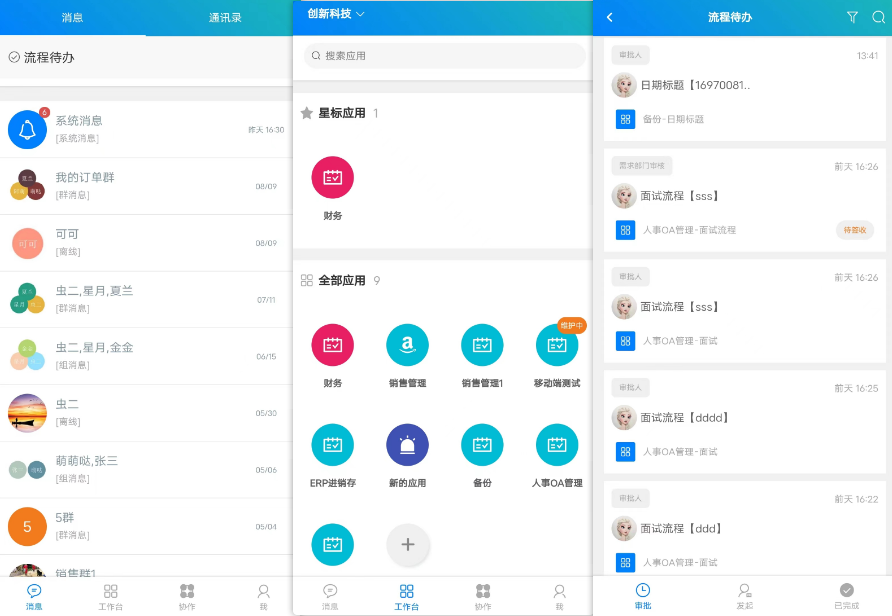
- 📱 Multi-Platform: Supports Web, APP, H5, DingTalk, WeChat Work and other multi-terminal access
- 🔌 Open Integration: Provides comprehensive API interfaces, supports seamless integration with third-party systems
- 🏢 Private Deployment: Supports local deployment, full data control, ensures enterprise data security
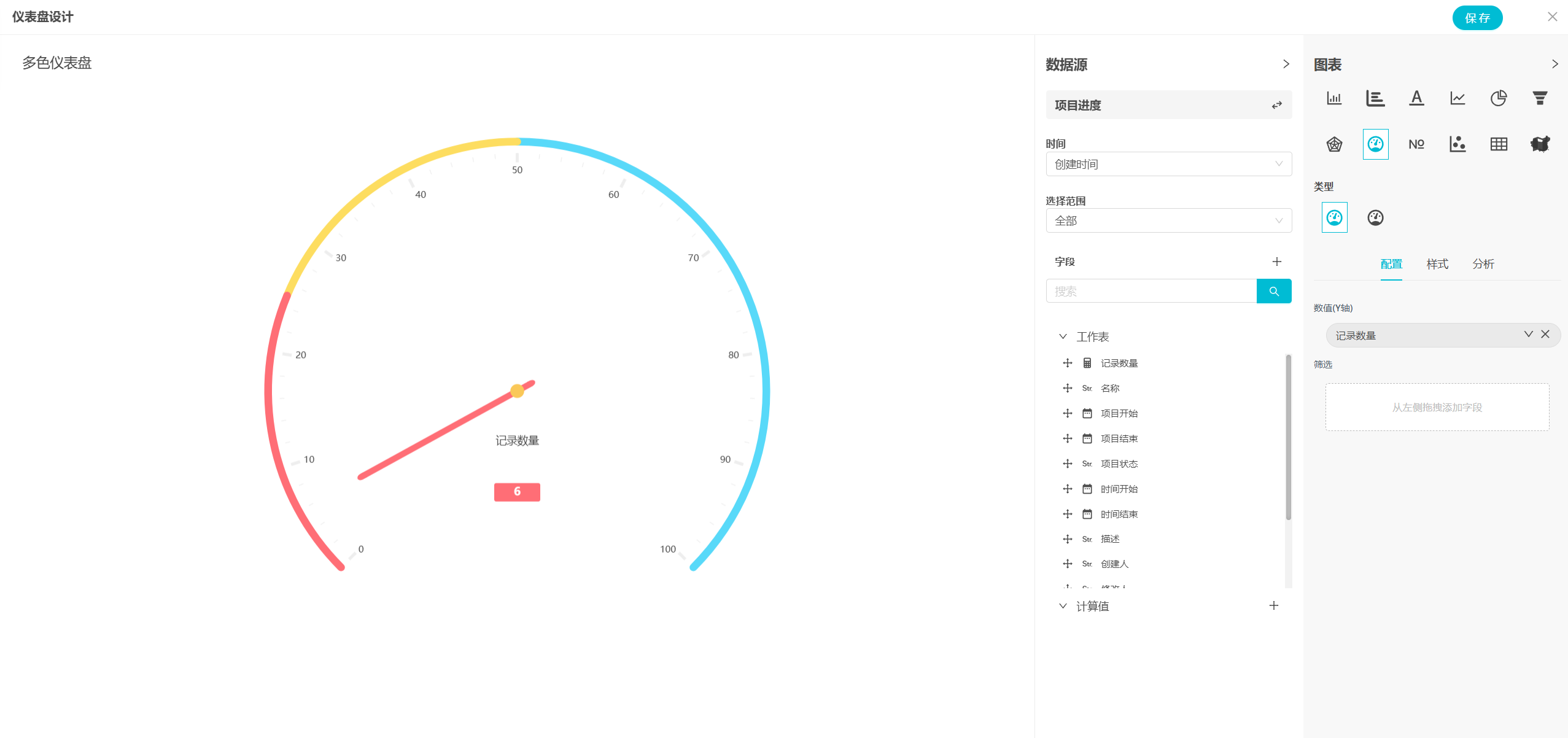
- 📈 Data Visualization: 20+ statistical charts, real-time business data display, assists decision analysis
- 🎨 Application Templates: Built-in rich industry application templates, supports one-click import for quick use
Why Choose QiaoQiaoYun No-Code?
- ✅ Completely Free: Core features permanently free, no hidden charges
- ✅ Private Deployment: Full data control, meets enterprise security requirements
- ✅ Zero Coding Barrier: Drag-and-drop to complete complex business system construction
- ✅ AI Intelligence Boost: Integrates mainstream large models, improves development efficiency
- ✅ Rich Application Templates: Covers multiple industry scenarios, ready to use out of the box
- ✅ Powerful Workflow Engine: Supports complex business process automation
- ✅ Complete Technical Support: Detailed documentation, active community, professional technical support
What Features Does QiaoQiaoYun Have?
-
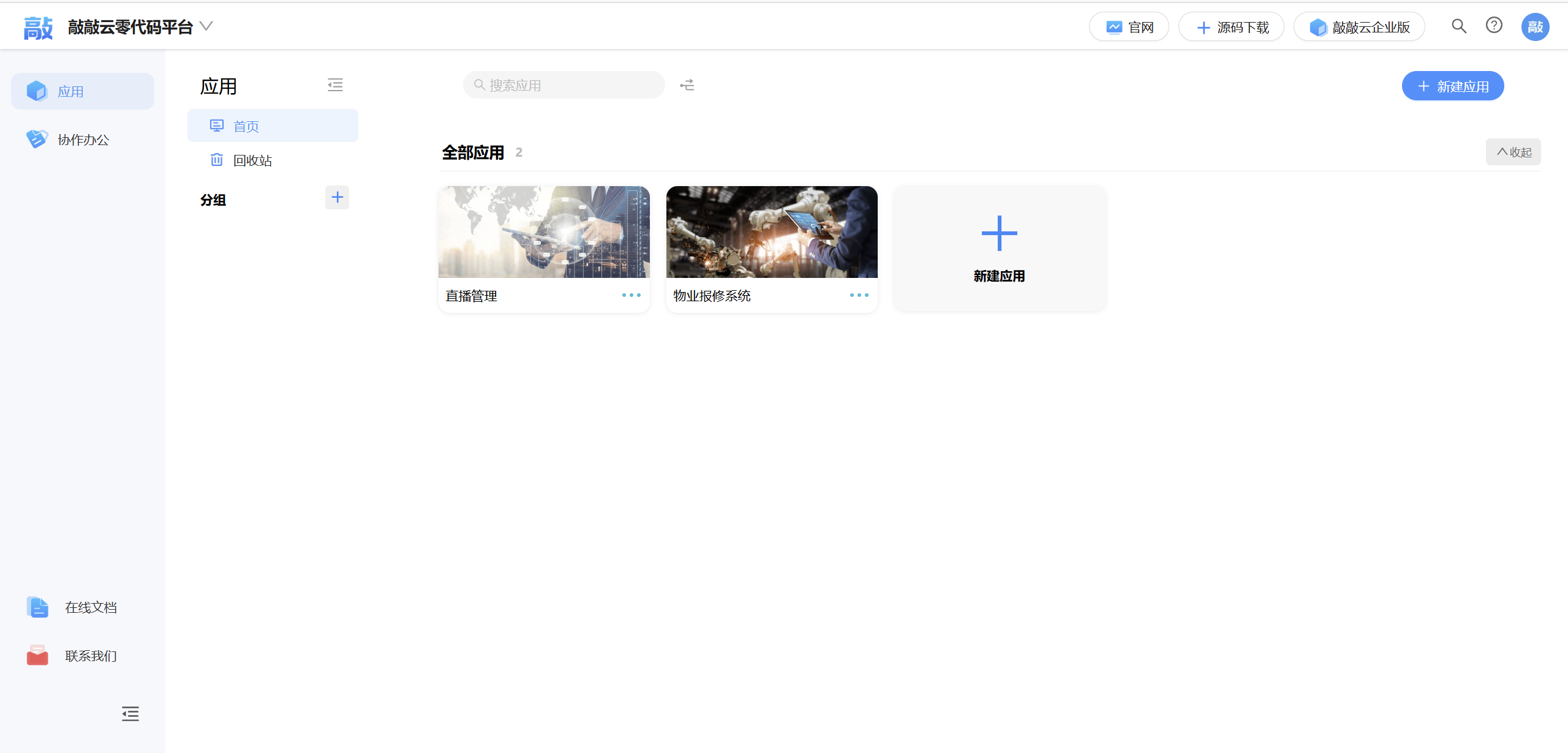
- Application management functions, including creating applications, modifying applications, exiting/deleting applications, sorting applications, maintaining applications, application recycle bin, application grouping
-
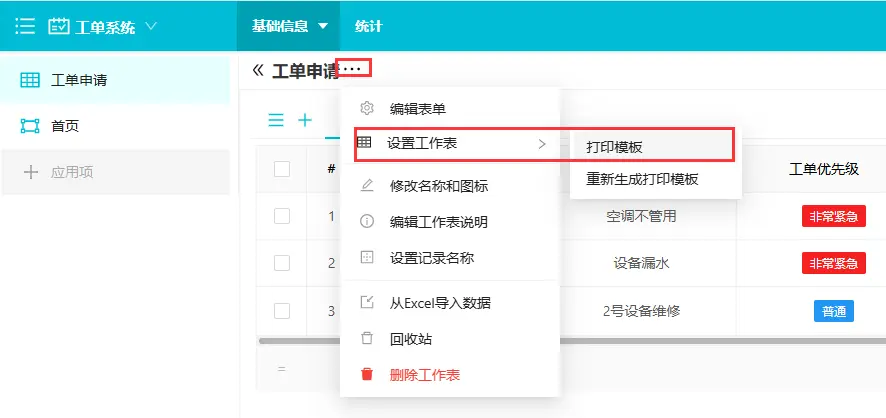
- Worksheet management for data management, can display data like Excel spreadsheets, or as Kanban and calendar. In worksheets you can design form fields; add, edit, view, delete data, and share, print data, import and export.
-
- Worksheet view management, supports multiple views, create/copy views, personalized view configuration, view filtering, sorting, custom display fields, delete views, etc. Supports different style views: table view, calendar view, kanban view
-
- Powerful workflow engine supporting approval, filling, data processing (with Create, Delete, Update, Query workflow nodes) for automated business processes and data modification capabilities
-
- Calendar view: Display data in calendar form, data can be displayed on specific dates based on date fields. Default is monthly, can switch to weekly or daily mode to display data.
-
- Publish forms, supports configuring form publishing modes, providing to others for filling, for data collection
-
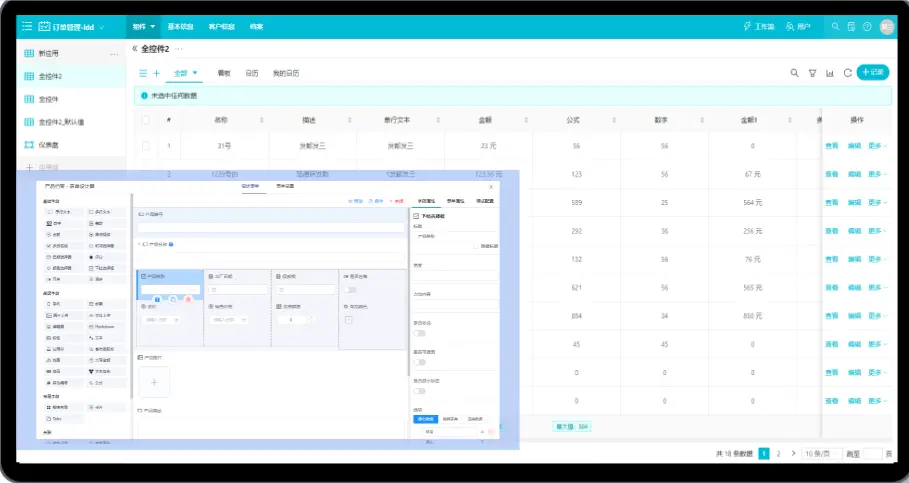
- Provides form designer with 40 types of controls for your use, basically meeting most of your business scenario needs, each control has different property configurations, choose different control types according to different needs
-
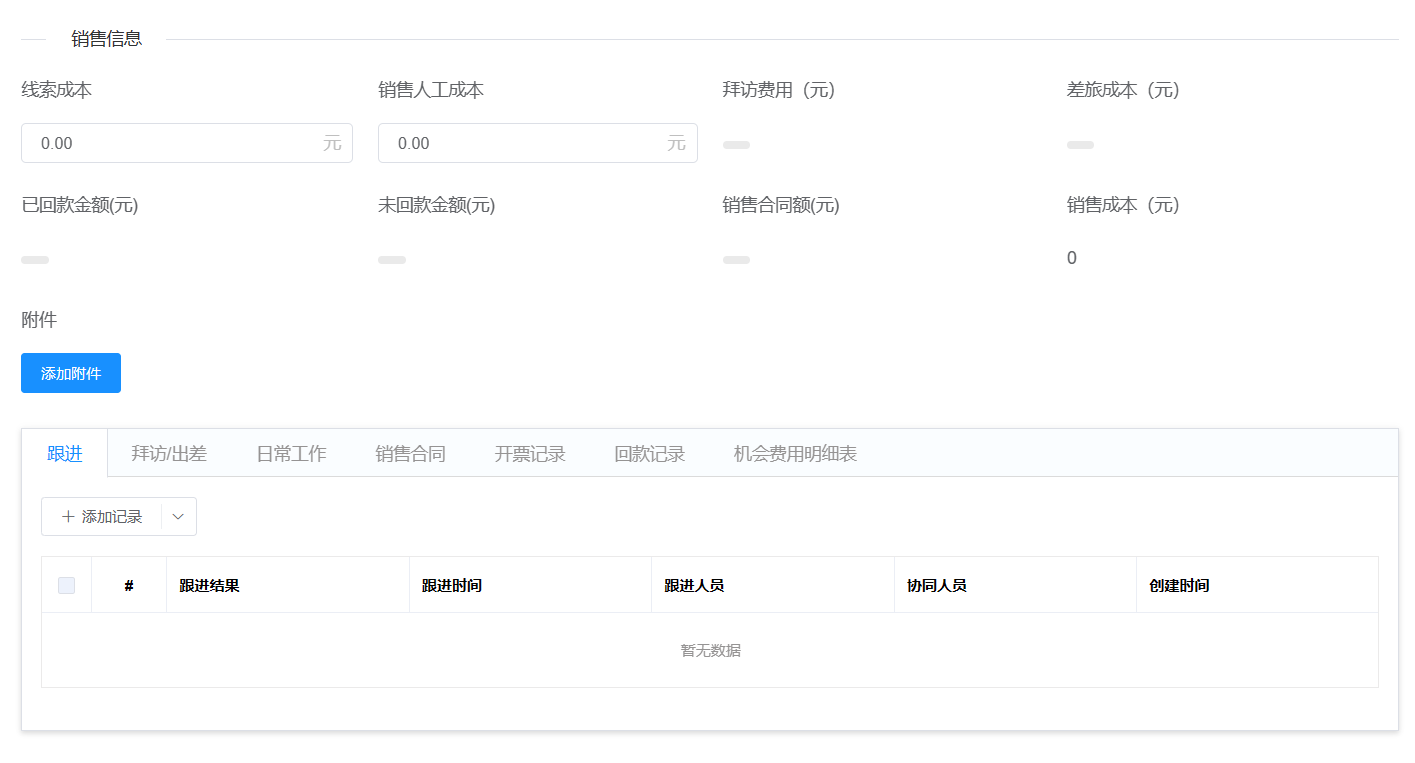
- Form designer supports complex controls, related records: can use related records when forms have associations with other forms; subtables for entering multiple subtable information in main table; grid layout: converts single column fields to multi-column display, meeting more needs
-
- Provides powerful function capabilities, form control default values support 35 system functions in four areas: mathematical functions, date functions, text functions, logical functions, basically meeting most scenario needs
-
- Provides dashboard designer for configuring portals and reports, different statistical charts, buttons, carousels, etc. can be designed in dashboards. Data is presented in visual form through various charts and graphics
Video Introduction

QiaoQiaoYun Typical Application Scenarios
1. 🔄 Digital Transformation
- Help traditional enterprises transform from paper-based to digital office
- Lower digitalization barriers, reduce development costs
- Quickly respond to business changes, flexibly adjust system functions
2. 📝 Data Collection & Management
- Replace traditional Excel, build professional data collection systems
- Support work order management, customer information registration, questionnaire surveys, etc.
- Real-time data statistics and analysis, automatically generate visual reports
3. 💻 Business System Construction
- CRM Customer Relationship Management: Customer information, sales follow-up, opportunity management
- Purchase, Sales & Inventory System: Purchase management, inventory management, sales management
- OA Office System: Approval processes, attendance management, asset management
- Financial Management System: Reimbursement approval, expense management, financial reports
- Project Management System: Task management, project progress, resource allocation
- MIS Management Information System: Various customized enterprise management systems
4. 🎨 Rapid Prototype Design
- Quickly build prototype systems at customer sites, demonstrate effects instantly
- No professional development skills required, drag-and-drop to complete system design
- Support rapid iteration adjustments, respond to requirement changes in real-time
5. 📦 Application Template Trading
- Build general business applications and export as templates
- Support quick import and export of application templates
- Can be traded and distributed as digital products
6. 🎓 Education & Training Scenarios
- Quick construction of graduation design systems
- Teaching demonstration and training platforms
- Complete projects without deep programming foundations
📖 Advanced Features
Related Records and Workflow Application Practice
QiaoQiaoYun platform provides powerful related record controls, calculation controls, function expressions, and workflow engine to build intelligent business systems.
🔗 Core Technology Components
- Related Record Control: Implement cross-table data association, avoid duplicate entry
- Calculation Control: Automatic field calculation, reduce human errors
- Function Expression: Complex logic judgment and data processing
- Workflow Engine: Drive business automation flow
💼 Typical Application Scenarios
Scenario 1: Purchase Order Automatically Generates Payable
Purchase Order (related to supplier/product) → Automatic amount calculation → Workflow trigger → Automatically generate payable
Scenario 2: Inbound Order Automatically Updates Inventory
Inbound Order (related to product) → Calculate inbound quantity → Workflow trigger → Automatically update inventory quantity
🛠️ Workflow Node Description
| Node Type | Function | Use Case |
|---|---|---|
| Create | Create record | Automatically generate documents, create inventory records |
| Query | Query data | Check data existence, get basic information |
| Update | Update record | Inventory accumulation, status update |
| Loop | Batch processing | Traverse detail lines, batch operations |
📈 Business Value
- 🔗 Data Interconnection: Break information silos, achieve automatic data association
- 🤖 Automatic Calculation: Reduce manual errors, improve data accuracy
- ⚡ Process Automation: Eliminate repetitive operations, improve business efficiency
- 📊 Real-time Update: Inventory and financial data sync in real-time
- 🔄 Business Closed Loop: Complete automated business process
📋 Complete Guide: For detailed practice guide, please refer to Related Records and Workflow Application.md
Platform Features
Application Management

Form Engine
Visual drag-and-drop design, rich controls easily meet daily business needs, no professional knowledge required to drag components, like building blocks, easily complete form creation, start data collection work in one minute.
Supports custom form views, form views support table, kanban, and calendar styles
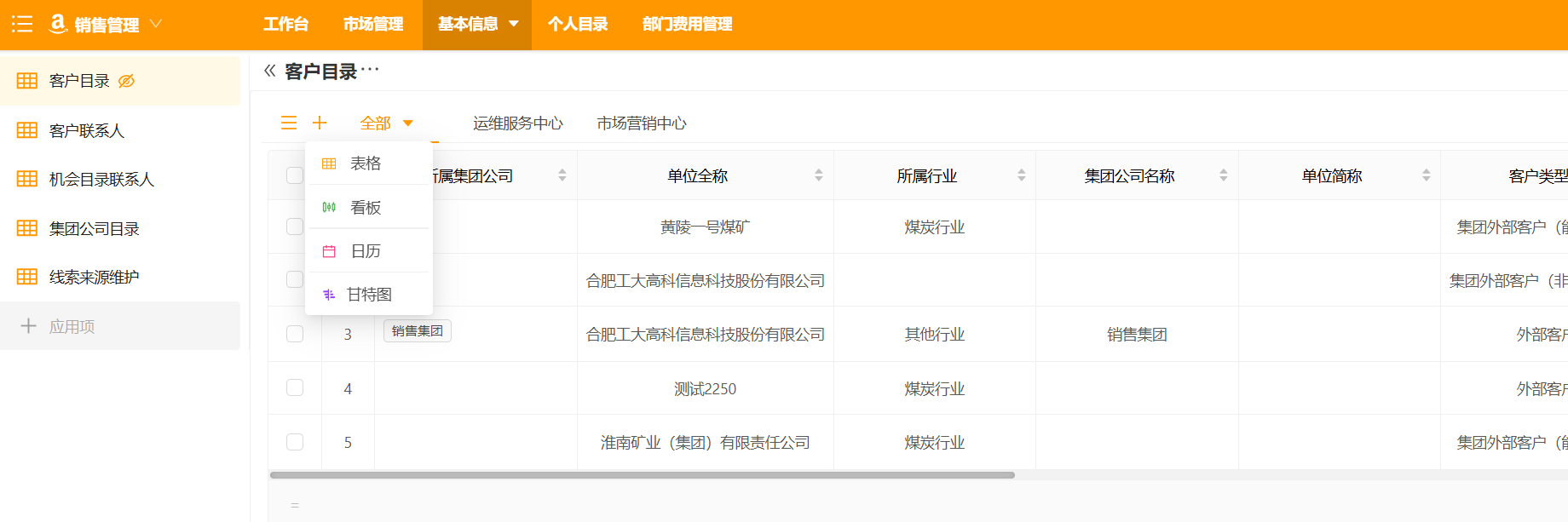
Over 40 rich form controls
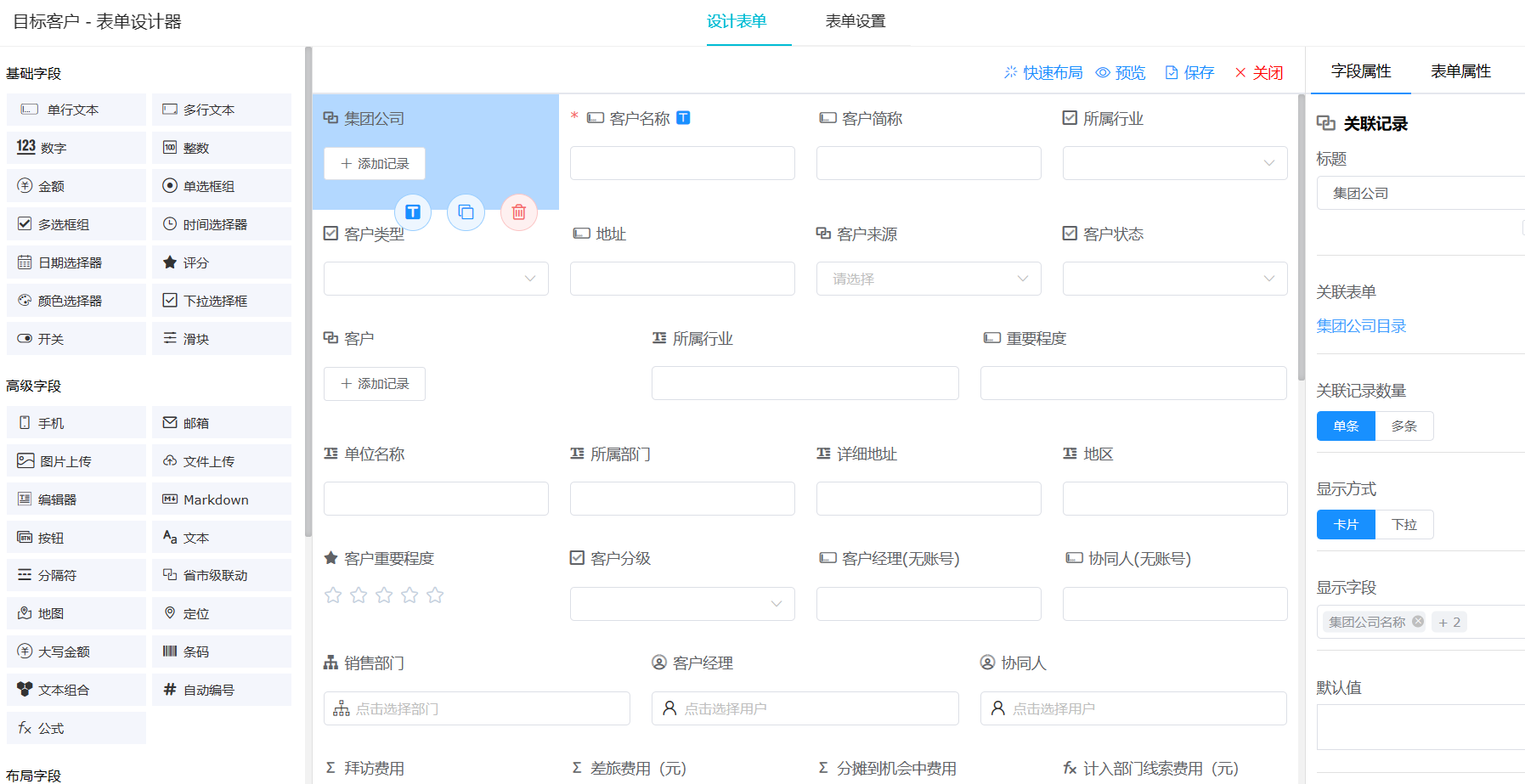
Form engine has rich layout options
Dashboard
Achieves various chart data visualization presentations, charts, buttons, rich text, carousels, embedded URLs can all be configured
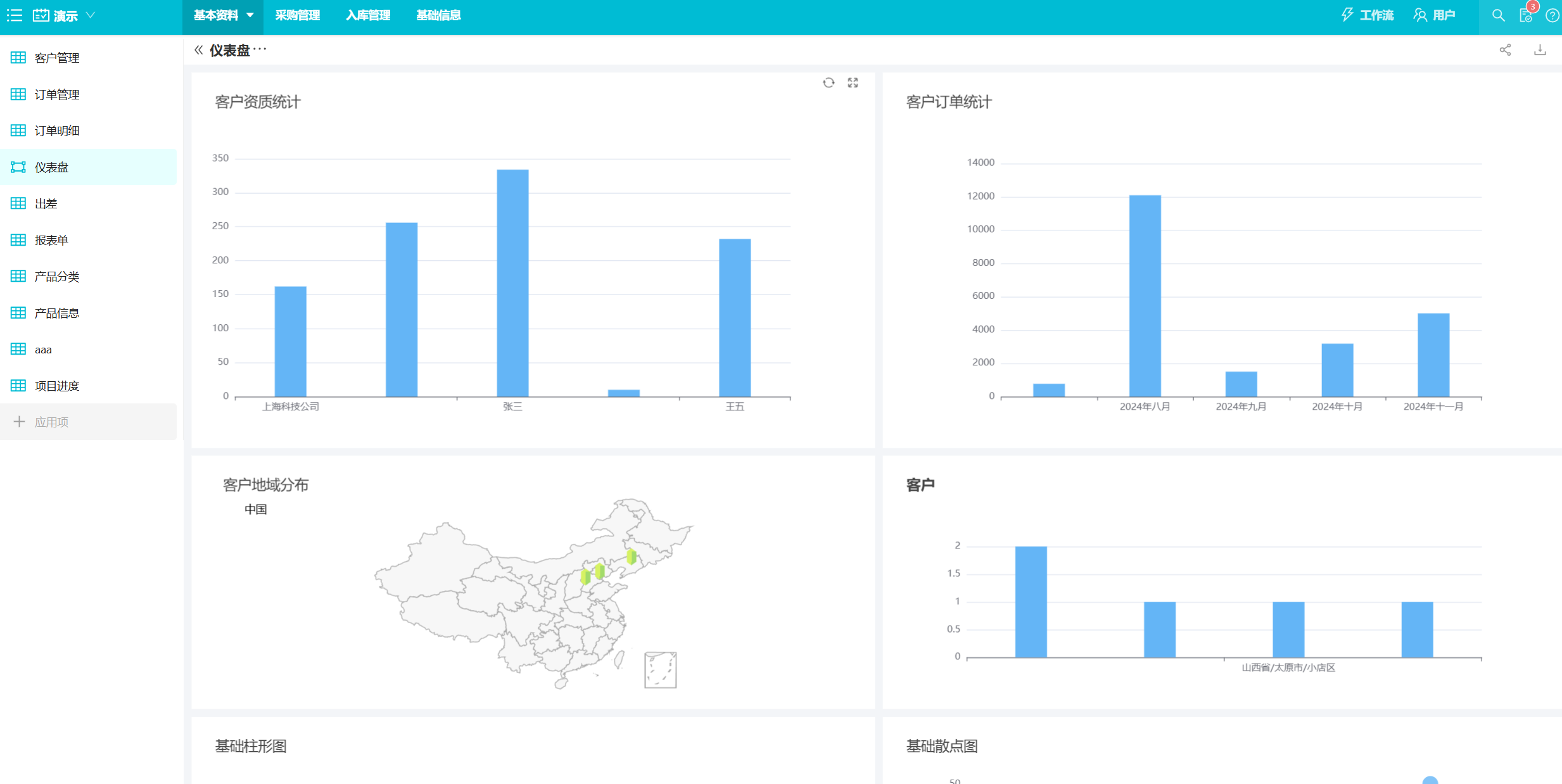
Design Interface
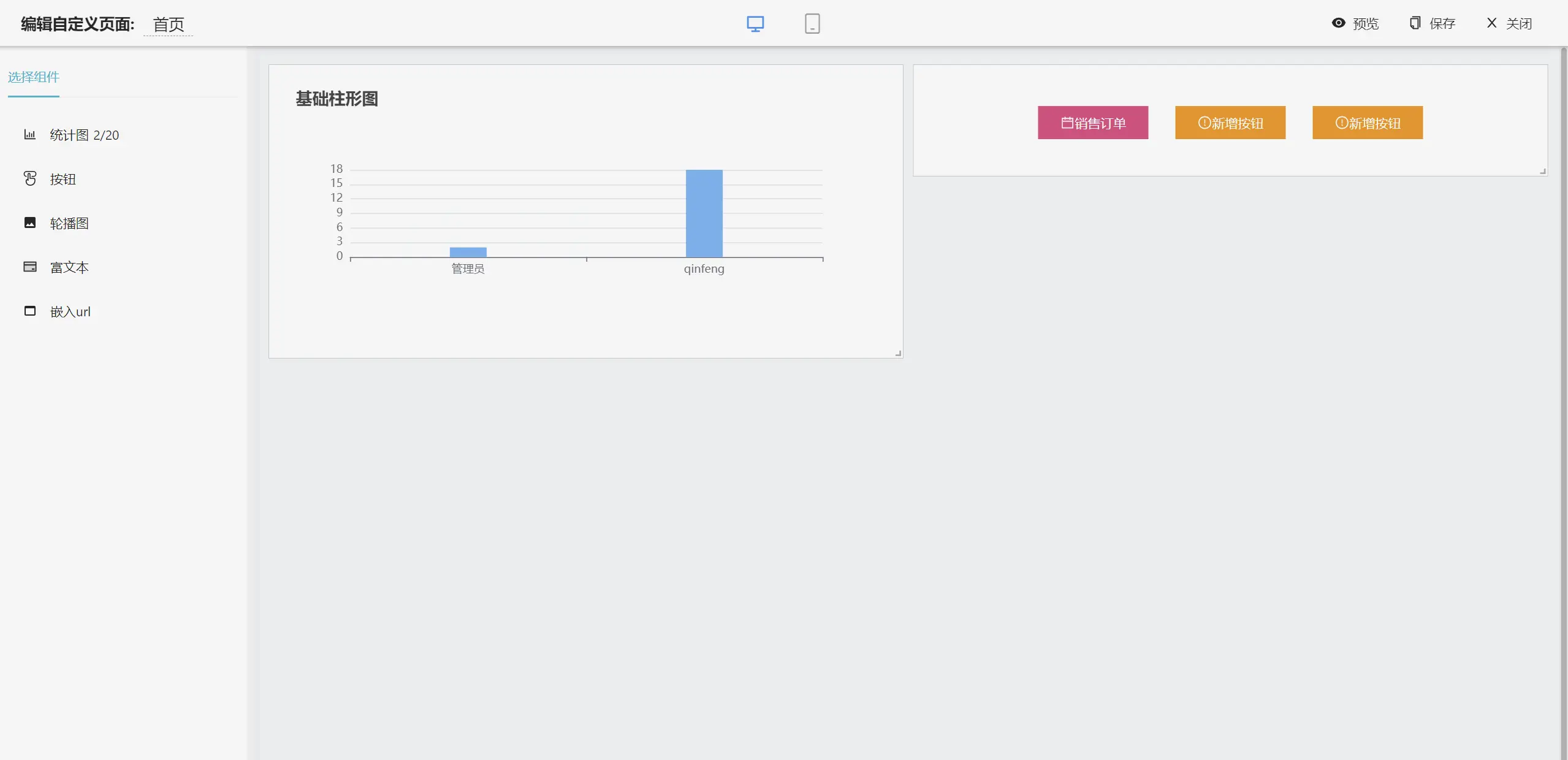
Over 20 rich statistical charts
Mobile APP
APP, H5, DingTalk mobile access anytime, anywhere
Workflow Engine
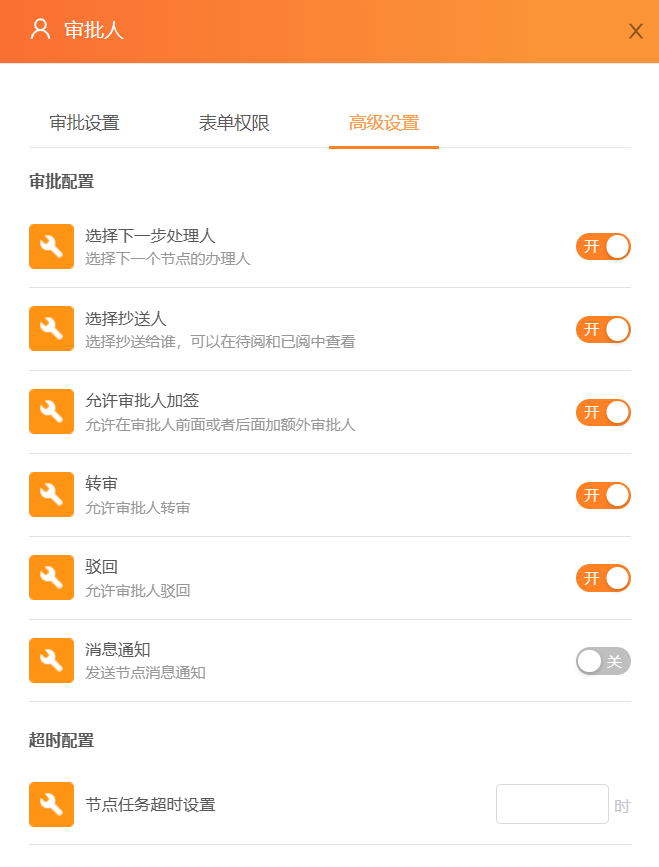
Visual workflow drag-and-drop design, simpler and more suitable for Chinese national conditions, supports arbitrary rejection, delegation, jumping. Can achieve approval, filling, data processing and other workflow approvals and business processing, automatic flow.
Beautiful design interface, smooth user experience
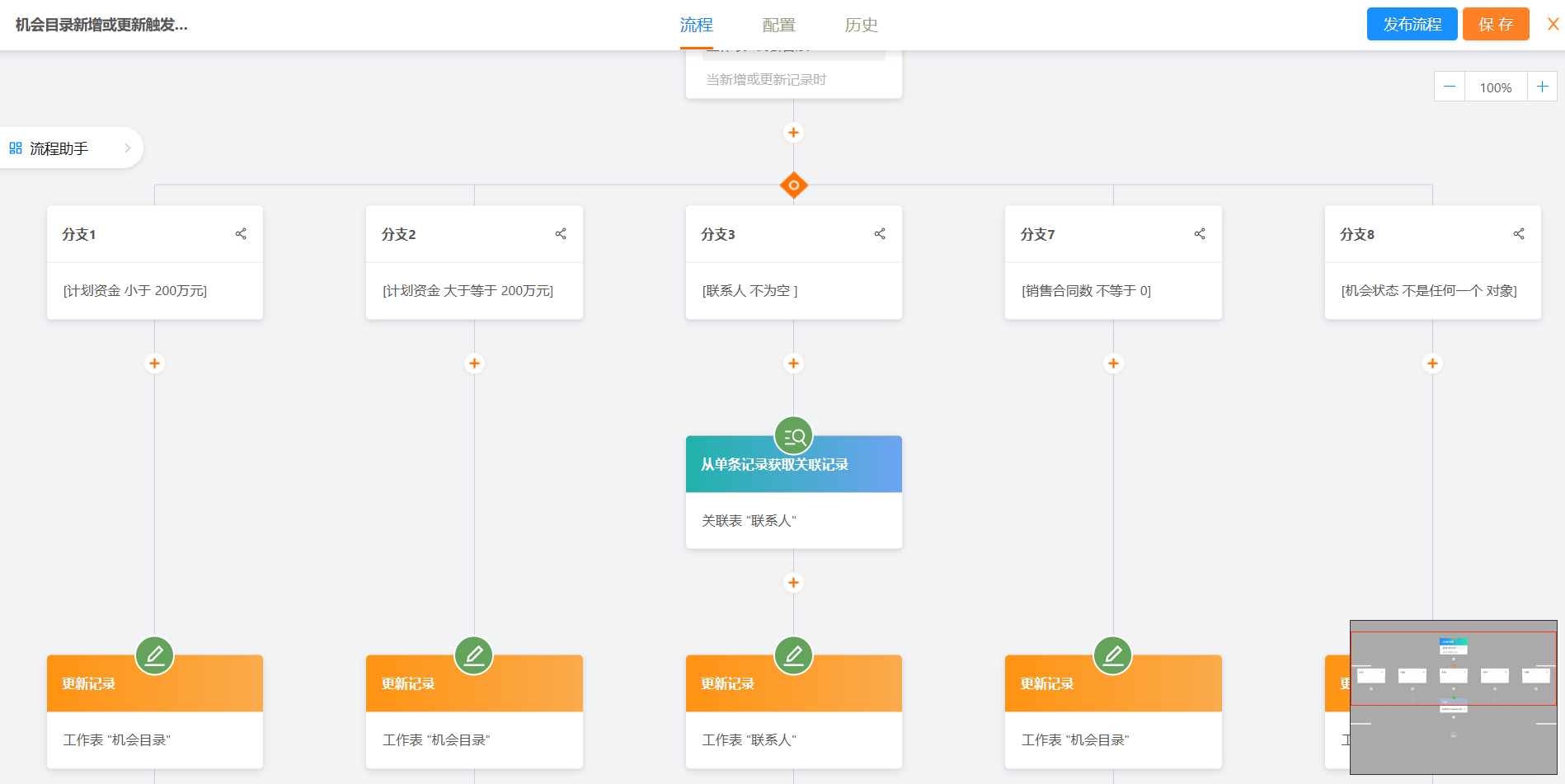
25 rich workflow nodes
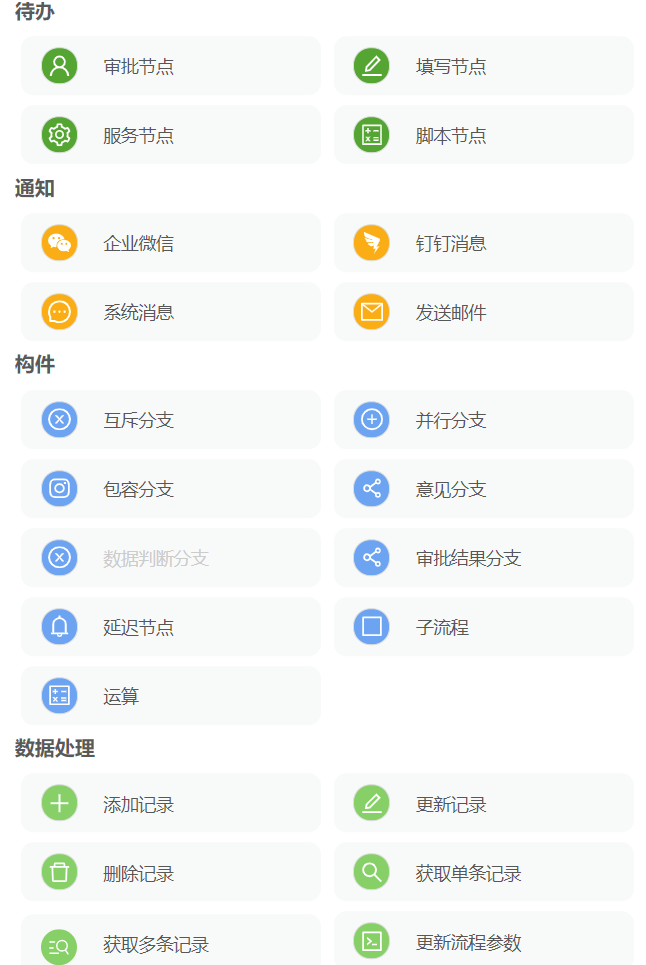
Rich node configuration, can set different approvers, permissions and advanced configurations