mirror of
https://github.com/Yanyutin753/RefreshToV1Api.git
synced 2025-12-19 01:01:31 +08:00
Compare commits
1 Commits
| Author | SHA1 | Date | |
|---|---|---|---|

|
3d3d939e3c |
47
.github/workflows/oaifree-docker-image.yml
vendored
47
.github/workflows/oaifree-docker-image.yml
vendored
@@ -1,47 +0,0 @@
|
||||
name: oaifree Build and Push Docker Image
|
||||
|
||||
on:
|
||||
release:
|
||||
types: [created]
|
||||
workflow_dispatch:
|
||||
inputs:
|
||||
tag:
|
||||
description: 'Tag Name'
|
||||
required: true
|
||||
|
||||
|
||||
jobs:
|
||||
build-and-push:
|
||||
runs-on: ubuntu-latest
|
||||
steps:
|
||||
- uses: actions/checkout@v2
|
||||
|
||||
- name: Set up Docker Buildx
|
||||
uses: docker/setup-buildx-action@v1
|
||||
|
||||
- name: Login to Docker Hub
|
||||
uses: docker/login-action@v1
|
||||
with:
|
||||
username: ${{ secrets.DOCKERHUB_USERNAME }}
|
||||
password: ${{ secrets.DOCKERHUB_PASSWORD }}
|
||||
|
||||
- name: Set tag name
|
||||
id: tag_name
|
||||
run: |
|
||||
if [ "${{ github.event_name }}" = "release" ]; then
|
||||
echo "::set-output name=tag::${GITHUB_REF#refs/tags/}"
|
||||
elif [ "${{ github.event_name }}" = "workflow_dispatch" ]; then
|
||||
echo "::set-output name=tag::${{ github.event.inputs.tag }}"
|
||||
fi
|
||||
|
||||
- name: Build and push Docker image with Release tag
|
||||
uses: docker/build-push-action@v2
|
||||
with:
|
||||
context: .
|
||||
file: ./Dockerfile
|
||||
push: true
|
||||
tags: |
|
||||
yangclivia/pandora-to-api:${{ steps.tag_name.outputs.tag }}
|
||||
yangclivia/pandora-to-api:0.7.9
|
||||
platforms: linux/amd64,linux/arm64
|
||||
build-args: TARGETPLATFORM=${{ matrix.platform }}
|
||||
2
.gitignore
vendored
2
.gitignore
vendored
@@ -1,2 +0,0 @@
|
||||
|
||||
*.log
|
||||
3
.idea/misc.xml
generated
3
.idea/misc.xml
generated
@@ -1,7 +1,4 @@
|
||||
<?xml version="1.0" encoding="UTF-8"?>
|
||||
<project version="4">
|
||||
<component name="Black">
|
||||
<option name="sdkName" value="Python 3.8 (pythonProject7)" />
|
||||
</component>
|
||||
<component name="ProjectRootManager" version="2" project-jdk-name="Python 3.8 (pythonProject7)" project-jdk-type="Python SDK" />
|
||||
</project>
|
||||
@@ -10,13 +10,15 @@ COPY . /app
|
||||
# 设置环境变量
|
||||
ENV PYTHONUNBUFFERED=1
|
||||
|
||||
RUN chmod +x /app/main.py
|
||||
RUN chmod +x /app/start.sh
|
||||
|
||||
RUN apt update && apt install -y jq
|
||||
|
||||
# # 设置 pip 源为清华大学镜像
|
||||
# RUN pip config set global.index-url https://pypi.tuna.tsinghua.edu.cn/simple
|
||||
|
||||
# 安装任何所需的依赖项
|
||||
RUN pip install --no-cache-dir flask flask_apscheduler requests Pillow flask-cors tiktoken fake_useragent redis websocket-client pysocks requests[socks] websocket-client[optional]
|
||||
RUN pip install --no-cache-dir flask flask_apscheduler gunicorn requests Pillow flask-cors tiktoken fake_useragent redis websocket-client pysocks requests[socks] websocket-client[optional]
|
||||
|
||||
# 在容器启动时运行 Flask 应用
|
||||
CMD ["python3", "main.py"]
|
||||
CMD ["/app/start.sh"]
|
||||
|
||||
87
Readme.md
87
Readme.md
@@ -1,29 +1,28 @@
|
||||
# [RefreshToV1Api](https://github.com/Yanyutin753/RefreshToV1Api)
|
||||
[](https://github.com/Yanyutin753/refresh-gpt-chat/stargazers)
|
||||
|
||||
## [项目简介](https://github.com/Yanyutin753/RefreshToV1Api)
|
||||
## 项目简介
|
||||
|
||||
> [!IMPORTANT]
|
||||
>
|
||||
> Respect `oaiFree` , Respect `Wizerd`!
|
||||
> Respect `xyhelper` ,Respect `ninja` , Respect `Wizerd`!
|
||||
|
||||
感谢oaiFree、Ink-Osier大佬们的付出,敬礼!!!
|
||||
感谢xyhelper、ninja和Wizerd大佬们的付出,敬礼!!!
|
||||
|
||||
本项目支持:
|
||||
|
||||
1. 将 oaiFree `proxy` 模式下的 `backend-api` 转为 `/v1/chat/completions` 接口,支持流式和非流式响应。
|
||||
1. 将 xyhelper `proxy` 模式下的 `backend-api免费接口` 转为 `/v1/chat/completions` 接口,支持流式和非流式响应。
|
||||
|
||||
2. 将 oaiFree `proxy` 模式下的 `backend-api` 转为 `/v1/images/generations` 接口
|
||||
2. 将 xyhelper `proxy` 模式下的 `backend-api免费接口` 转为 `/v1/images/generations` 接口
|
||||
|
||||
3. 支持直接把refresh_token作为请求key,方便接入one_api
|
||||
|
||||
4. 支持 gpt-4o 、gpt-4-s 、基本所有的GPTS
|
||||
4. 支持 gpt-4-mobile 、gpt-4-s 、基本所有的GPTS
|
||||
|
||||
* **oaiFree 的 backend-api 接口,无需打码**
|
||||
* **xyhelper 的 免费 backend-api 接口,无需打码**
|
||||
|
||||
* **oaiFree 的 backend-api 接口,只支持Chatgpt Plus账号**
|
||||
|
||||
* 之后可能跟[Linux.do](https://linux.do/latest)论坛挂钩,请提前做好准备
|
||||
* **xyhelper接口每分钟最多请求30次,介意请绕行**
|
||||
* 我是开发者,我想自行修改功能->前往源码库 https://github.com/xyhelper/chatgpt-mirror-server
|
||||
* 我没服务器,也没有官网账号,只想使用->前往官网购买我们运营的会员服务 https://www.xyhelper.com.cn
|
||||
* 我想做商业用途,我想自己运营->老板里面请 https://www.xyhelper.com.cn/access
|
||||
* 我有服务器,我想自己部署->请继续阅读本文档(有条件的话给个star吧)
|
||||
|
||||
如果本项目对你有帮助的话,请点个小星星吧~
|
||||
|
||||
@@ -39,7 +38,7 @@
|
||||
|
||||
- [x] 支持 gpt-4-s
|
||||
|
||||
- [x] 支持 gpt-4o 和 gpt-4o-mini
|
||||
- [x] 支持 gpt-4-mobile
|
||||
|
||||
- [x] 支持 gpt-3.5-turbo
|
||||
|
||||
@@ -68,13 +67,13 @@
|
||||
## 注意
|
||||
|
||||
> [!CAUTION]
|
||||
> 1. 本项目的运行需要 oaiFree 的免费接口
|
||||
> 1. 本项目的运行需要 xyhelper 的免费接口
|
||||
>
|
||||
> 2. 本项目实际为将来自 `/v1/chat/completions` 的请求转发到oaiFree免费接口的 `/backend-api/conversation` 接口,因此本项目并不支持高并发操作,请不要接入如 `沉浸式翻译` 等高并发项目。
|
||||
> 2. 本项目实际为将来自 `/v1/chat/completions` 的请求转发到xyhelper免费接口的 `/backend-api/conversation` 接口,因此本项目并不支持高并发操作,请不要接入如 `沉浸式翻译` 等高并发项目。
|
||||
>
|
||||
> 3. 本项目支持使用apple平台的refresh_token作为请求key.
|
||||
>
|
||||
> 4. 本项目并不能绕过 OpenAI 和 oaiFree 官方的限制,只提供便利,不提供绕过。
|
||||
> 4. 本项目并不能绕过 OpenAI 和 xyhelper 官方的限制,只提供便利,不提供绕过。
|
||||
>
|
||||
> 5. 提问的艺术:当出现项目不能正常运行时,请携带 `DEBUG` 级别的日志在 `Issue` 或者社区群内提问,否则将开启算命模式~
|
||||
|
||||
@@ -86,32 +85,33 @@
|
||||
|
||||
2. gpt-4-mobile:支持代码解释器、bing联网、dalle绘图的 GPT-4,对应的是官方的手机版 GPT-4,截止至2023年12月15日,本模型使用量不计入 GPT-4 用量(即不受每 3 小时 40 次的限制)
|
||||
|
||||
3. 由于oaiFree未提供GPTS接口,暂不支持几乎所有的 GPTS(配置方式见下文)
|
||||
3. 几乎所有的 GPTS(配置方式见下文)
|
||||
|
||||
4. gpt-3.5-turbo
|
||||
|
||||
## 部署说明
|
||||
<details>
|
||||
|
||||
### Docker-Compose 部署
|
||||
## Docker-Compose 部署
|
||||
|
||||
仓库内已包含相关文件和目录,拉到本地后修改 docker-compose.yml 文件里的环境变量后运行`docker-compose up -d`即可。
|
||||
|
||||
### config.json 变量说明:
|
||||
## config.json 变量说明:
|
||||
|
||||
- `log_level`: 用于设置日志等级,可选值为:`DEBUG`、`INFO`、`WARNING`、`ERROR`,默认为 `DEBUG`
|
||||
|
||||
- `need_log_to_file`: 用于设置是否需要将日志输出到文件,可选值为:`true`、`false`,默认为 `true`,日志文件路径为:`./log/access.log`,默认每天会自动分割日志文件。
|
||||
|
||||
- `upstream_base_url`: oaiFree 的接口地址,如:`https://chat.oaifree.com`,注意:不要以 `/` 结尾。
|
||||
- `process_workers`: 用于设置进程数,如果不需要设置,可以保持不变,如果需要设置,可以设置为需要设置的值,默认为 `2`。
|
||||
|
||||
- `upstream_api_prefix`: 默认为["dad04481-fa3f-494e-b90c-b822128073e5"],之后可多填
|
||||
- `process_threads`: 用于设置线程数,如果不需要设置,可以保持不变,如果需要设置,可以设置为需要设置的值,默认为 `2`。
|
||||
|
||||
- `upstream_base_url`: xyhelper 的免费接口地址,如:`https://demo.xyhelper.cn`,注意:不要以 `/` 结尾。
|
||||
|
||||
- `upstream_api_prefix`: 默认为""
|
||||
|
||||
- `backend_container_url`: 用于dalle模型生成图片的时候展示所用,需要设置为使用如 [ChatGPT-Next-Web](https://github.com/ChatGPTNextWebTeam/ChatGPT-Next-Web) 的用户可以访问到的本项目地址,如:`http://1.2.3.4:50011`,同原环境变量中的 `UPLOAD_BASE_URL`
|
||||
|
||||
- `backend_container_api_prefix`: 用于设置本项目 `/v1/xxx` 接口的前缀,如果留空则与官方api调用接口一致。设置示例:`666 `
|
||||
|
||||
- `key_for_gpts_info(选填)`: 填入refresh_token(每天自动转成access_token 推荐)或者access_token(不推荐), 仅获取 GPTS 信息的 access_token,需要该 access_token 能够访问所有配置的 GPTS。后续发送消息仍需要在请求头携带请求所用的 access_token,如果未配置该项,请将 `gpts.json` 文件修改为:
|
||||
- `key_for_gpts_info`: 填入refresh_token(每天自动转成access_token 推荐)或者access_token(不推荐), 仅获取 GPTS 信息的 access_token,需要该 access_token 能够访问所有配置的 GPTS。后续发送消息仍需要在请求头携带请求所用的 access_token,如果未配置该项,请将 `gpts.json` 文件修改为:
|
||||
|
||||
```json
|
||||
{}
|
||||
@@ -151,8 +151,8 @@ PS. 注意,arkose_urls中的地址需要支持PandoraNext的Arkose Token获取
|
||||
|
||||
- `enableOai`:用于设置是否使用官网通过refresh_token刷新access_token,仅在 `enableOai` 为 `true` 时生效。
|
||||
|
||||
- `oaifree_refreshToAccess_Url`:用于设置使用oaiFree来进行使用refresh_token刷新access_token,enableOai为false的时候必填
|
||||
- 默认为"https://token.oaifree.com/api/auth/refresh"
|
||||
- `xyhelper_refreshToAccess_Url`:用于设置使用xyhelper来进行使用refresh_token刷新access_token,enableOai为false的时候必填
|
||||
- 默认为"https://demo.xyhelper.cn/applelogin"
|
||||
|
||||
- `redis`
|
||||
|
||||
@@ -164,7 +164,7 @@ PS. 注意,arkose_urls中的地址需要支持PandoraNext的Arkose Token获取
|
||||
|
||||
- `db`: Redis的数据库,默认:0,如有特殊需求,你可以将此值设置为其他数据库
|
||||
|
||||
### GPTS配置说明
|
||||
## GPTS配置说明
|
||||
|
||||
如果需要使用 GPTS,需要修改 `gpts.json` 文件,其中每个对象的key即为调用对应 GPTS 的时候使用的模型名称,而 `id` 则为对应的模型id,该 `id` 对应每个 GPTS 的链接的后缀。配置多个GPTS的时候用逗号隔开。
|
||||
|
||||
@@ -185,7 +185,7 @@ PS. 注意,arkose_urls中的地址需要支持PandoraNext的Arkose Token获取
|
||||
|
||||
注意:使用该配置的时候需要保证正确填写 `docker-compose.yml` 的环境变量 `KEY_FOR_GPTS_INFO`,同时该变量设置的 `key` 允许访问所有配置的 GPTS。
|
||||
|
||||
### 绘图接口使用说明
|
||||
## 绘图接口使用说明
|
||||
|
||||
接口URI:`/v1/images/generations`
|
||||
|
||||
@@ -222,7 +222,7 @@ PS. 注意,arkose_urls中的地址需要支持PandoraNext的Arkose Token获取
|
||||
}
|
||||
```
|
||||
|
||||
### 文件识别接口使用说明
|
||||
## 文件识别接口使用说明
|
||||
|
||||
调用方式同官方 `gpt-4-vision-preview` API
|
||||
|
||||
@@ -321,18 +321,8 @@ PS. 注意,arkose_urls中的地址需要支持PandoraNext的Arkose Token获取
|
||||
}
|
||||
}
|
||||
```
|
||||
### 获取ChatGPT-Account-ID接口
|
||||
|
||||
接口URI:`/getAccountID`
|
||||
|
||||
请求方式:`POST`
|
||||
|
||||
```
|
||||
请求头加上
|
||||
Authorization:Bearer refresh_token 或 access_token
|
||||
```
|
||||
|
||||
### 示例
|
||||
## 示例
|
||||
|
||||
以ChatGPT-Next-Web项目的docker-compose部署为例,这里提供一个简单的部署配置文件示例:
|
||||
|
||||
@@ -340,7 +330,7 @@ Authorization:Bearer refresh_token 或 access_token
|
||||
version: '3'
|
||||
services:
|
||||
chatgpt-next-web:
|
||||
image: yangclivia/chatgpt-next-web-langchain
|
||||
image: yidadaa/chatgpt-next-web
|
||||
ports:
|
||||
- "50013:3000"
|
||||
environment:
|
||||
@@ -349,8 +339,6 @@ services:
|
||||
- CUSTOM_MODELS=+gpt-4-s,+gpt-4-mobile,+<gpts.json 中的模型名>
|
||||
|
||||
```
|
||||
</details>
|
||||
|
||||
|
||||
## 功能演示
|
||||
<details>
|
||||
@@ -393,12 +381,11 @@ services:
|
||||
> * 本项目只提供转发接口🥰
|
||||
> * 开源项目不易,请点个星星吧!!!
|
||||
|
||||
## Sponsor
|
||||
|
||||
### 如果你觉得我的开源项目对你有帮助,可以赞助我一杯咖啡嘛,十分感谢!!!
|
||||
<img src="https://github.com/Yanyutin753/RefreshToV1Api/assets/132346501/e5ab5e80-1cf2-4822-ae36-f9d0b11ed1b1" width="300" height="300">
|
||||
### 新增群聊,点了⭐️可以进群讨论部署,我把你们拉进群,无广,广子踢掉
|
||||
<img src="https://github.com/Yanyutin753/PandoraNext-TokensTool/assets/132346501/6544e8ed-6673-48f9-95a6-c13255acbab1" width="300" height="300">
|
||||
|
||||
### 请给我一个免费的⭐吧!!!
|
||||
|
||||
## Star History
|
||||
|
||||
[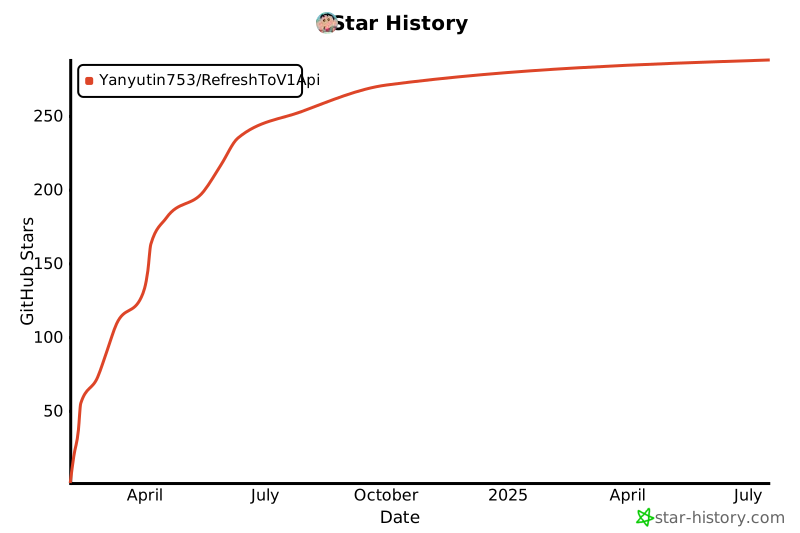](https://star-history.com/#Yanyutin753/oaiFreeV1Api_refresh&Date)
|
||||
[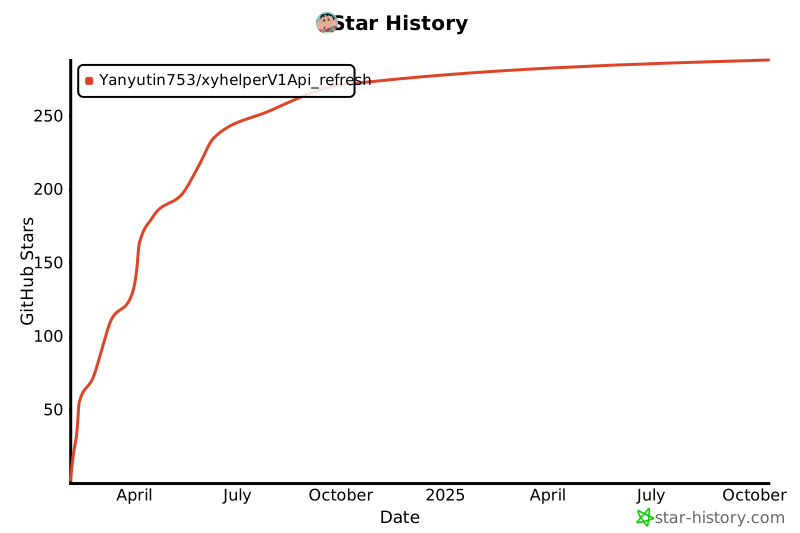](https://star-history.com/#Yanyutin753/xyhelperV1Api_refresh&Date)
|
||||
|
||||
@@ -1,17 +1,17 @@
|
||||
{
|
||||
"log_level": "INFO",
|
||||
"need_log_to_file": "true",
|
||||
"process_workers": 2,
|
||||
"process_threads": 2,
|
||||
"proxy": "",
|
||||
"upstream_base_url": "https://chat.oaifree.com",
|
||||
"upstream_api_prefix": ["dad04481-fa3f-494e-b90c-b822128073e5"],
|
||||
"upstream_base_url": "https://demo.xyhelper.cn",
|
||||
"upstream_api_prefix": "",
|
||||
"backend_container_url": "",
|
||||
"backend_container_api_prefix": "",
|
||||
"key_for_gpts_info": "",
|
||||
"gpt_4_s_new_name": "gpt-4-s",
|
||||
"gpt_4_mobile_new_name": "gpt-4-mobile,dall-e-3",
|
||||
"gpt_3_5_new_name": "gpt-3.5-turbo",
|
||||
"gpt_4_o_new_name": "gpt-4-o,gpt-4o",
|
||||
"gpt_4_o_mini_new_name": "gpt-4o-mini",
|
||||
"need_delete_conversation_after_response": "true",
|
||||
"use_oaiusercontent_url": "false",
|
||||
"custom_arkose_url": "false",
|
||||
@@ -27,7 +27,7 @@
|
||||
"refresh_ToAccess": {
|
||||
"stream_sleep_time": 0,
|
||||
"enableOai":"false",
|
||||
"oaifree_refreshToAccess_Url": "https://token.oaifree.com/api/auth/refresh"
|
||||
"xyhelper_refreshToAccess_Url": "https://demo.xyhelper.cn/applelogin"
|
||||
},
|
||||
"redis": {
|
||||
"host": "redis",
|
||||
|
||||
@@ -2,7 +2,7 @@ version: '3'
|
||||
|
||||
services:
|
||||
backend-to-api:
|
||||
image: yangclivia/pandora-to-api:0.7.9
|
||||
image: yangclivia/pandora-to-api:0.7.8
|
||||
restart: always
|
||||
ports:
|
||||
- "50011:33333"
|
||||
|
||||
1162
log/access.log
Normal file
1162
log/access.log
Normal file
File diff suppressed because it is too large
Load Diff
34
start.sh
Executable file
34
start.sh
Executable file
@@ -0,0 +1,34 @@
|
||||
#!/bin/bash
|
||||
|
||||
# 记录当前日期和时间
|
||||
NOW=$(date +"%Y-%m-%d-%H-%M")
|
||||
|
||||
# 尝试从环境变量获取参数,如果不存在,则从 config.json 文件中读取
|
||||
# 如果这些值仍然不存在,将它们设置为默认值
|
||||
|
||||
if [ -z "$PROCESS_WORKERS" ]; then
|
||||
PROCESS_WORKERS=$(jq -r '.process_workers // empty' /app/data/config.json)
|
||||
export PROCESS_WORKERS
|
||||
|
||||
if [ -z "$PROCESS_WORKERS" ]; then
|
||||
PROCESS_WORKERS=2
|
||||
fi
|
||||
fi
|
||||
|
||||
if [ -z "$PROCESS_THREADS" ]; then
|
||||
PROCESS_THREADS=$(jq -r '.process_threads // empty' /app/data/config.json)
|
||||
export PROCESS_THREADS
|
||||
|
||||
if [ -z "$PROCESS_THREADS" ]; then
|
||||
PROCESS_THREADS=2
|
||||
fi
|
||||
fi
|
||||
|
||||
export PROCESS_WORKERS
|
||||
export PROCESS_THREADS
|
||||
|
||||
echo "PROCESS_WORKERS: ${PROCESS_WORKERS}"
|
||||
echo "PROCESS_THREADS: ${PROCESS_THREADS}"
|
||||
|
||||
# 启动 Gunicorn 并使用 tee 命令同时输出日志到文件和控制台
|
||||
exec gunicorn -w ${PROCESS_WORKERS} --threads ${PROCESS_THREADS} --bind 0.0.0.0:33333 main:app --access-logfile - --error-logfile -
|
||||
Reference in New Issue
Block a user